prev
Issue 54
15th April 2007
by Danny Allen
next


This Week...
The Summer of Code begins, with 40 KDE projects. Registration opens for Akademy 2007. Hosting proposals invited for Akademy 2008. Further progress in the KBattleship rewrite with sounds and network play integrated, and theming support added to the Bovo game. More work on Strigi file analysers. Drag-and-drop and porting work in Mailody. A new CVS plugin for KDevelop 4. KSquares moves to kdegames. A new game, Kollision, is imported into playground/games.

In recent times, the kdegames module has modernised and matured in exciting quantity. The past week has been no exception to this. I asked the kdegames team for a roundup of the recent activity - Paolo Capriotti introduces the game imported into the playground this week, Kollision:
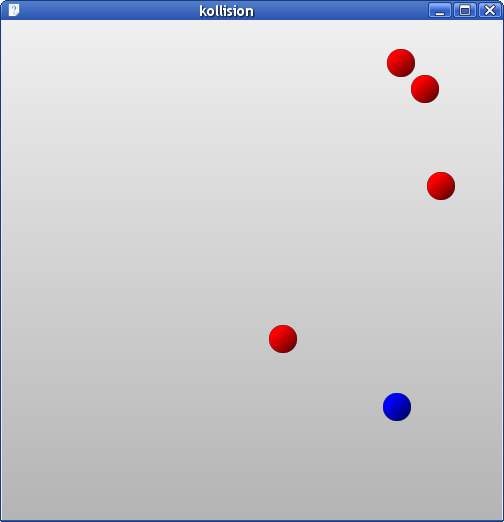
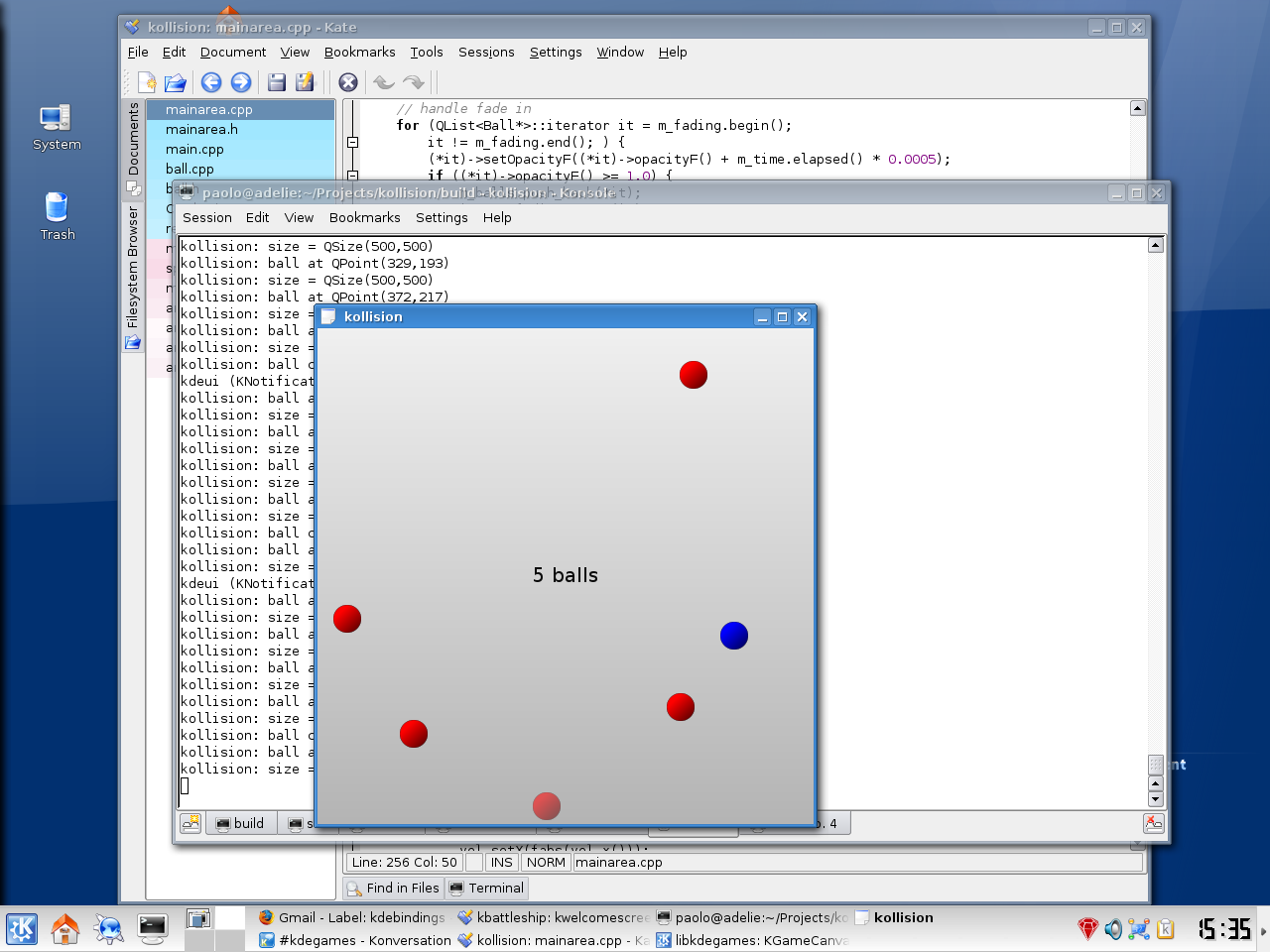
This weekend I've found some time to implement an idea for a game that had been floating in my mind for some time (actually, I have stolen it from a flash applet - with author's permission). It's called Kollision, and it's a very simple but (hopefully funny) game where you control a blue ball in a box full of bouncing red balls; your mission is to dodge them, surviving for as much time as you can, while red balls continue to be added to the box. You can find the game at playground/games/kollision/.

The physics is quite rough, at the moment, but I have some ideas to make it more realistic. Inside the code you will find a nice animation system, which allows simple graphical effects to be implemented very easily. There are already a couple of text animations that appear when you "level up" (i.e. you get an additional red ball to avoid). I hope to be able to move the game to kdereview soon, so that it has a chance to be included in the KDE 4.0 release.

An important focus of the kdegames revival is on usability. A recent mockup has turned to implementation: KWelcomeScreen, a way to display the game options available to the user in an obvious way upon application startup. Riccardo Iaconelli talks about it:
KWelcomeScreen is an effort to create a general framework for displaying semi-transparent menus on top of a game area (or any other widget). Its main purpose is usability: a user should not have to fiddle around with menus just to start a game. The "new game" option should be presented to him immediately and visibly, together with other common options. That was the idea that Johann Ollivier Lapeyre launched: he proposed in his blog to use a "welcome" screen that should be displayed when a game starts and provided a mockup.

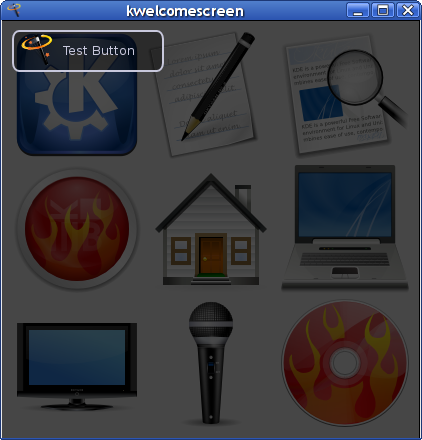
This initially posed a number of technical problems, however, such as how to add an overlay to the game area in a way that were independent of the painting strategy employed by the particular game. The initial idea was to exploit the new Qt painting system, which automatically propagates widget content to their children, so that transparent widgets actually "show what's behind". I've rapidly implemented KWelcomeScreen using this overlay widget approach, using a container widget which stacks another one (just a transparent black overlay in this case, parent of the buttons) on top of the game-specific stuff. Every added element (like buttons) is a QWidget. This is a screenshot of the first real result I obtained with the first approach:


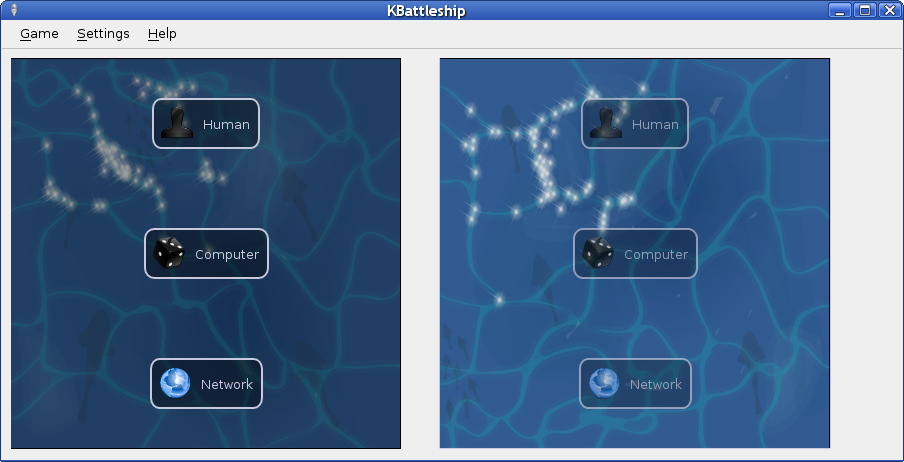
So I worked on a test implementation for KBattleShip, the game that Paolo Capriotti and myself are rewriting from scratch, and I managed to realize a working prototype for the game. The main problem was essentially its lack of flexibility: any graphical effect one could have wished to add would have resulted in useless X window calls and repaints, and ultimately in noticeable flickering and sluggishness. The only way we had to remove the flickering was to use a composite manager. And it wasn't still possible to add any kind of animations.

Therefore, Paolo started a refactoring of the class (while I was implementing some other cool graphic effects) which moved the whole painting and inputting logic in a separate class. This class can be used to adapt the painting mechanism to the specific game graphic framework (whether it is a simple QPainter-based approach, QGV, KGameCanvas or whatever) with very little work, or alternatively can be employed by a transparent widget just like in the original approach. The drawback is that it does not reuse the standard widget inputting and layouting system, but includes a simplified custom algorithm to compute button positions and implement mouse tracking. That shouldn't create any pain to the final application developer, though.

We now have the basis to implement in real life the faboulous concept that Johann presented in his blog. It will hopefully become a major feature in KDEGames 4, and could be easily used in other apps as well, maybe instead of modal dialogs (it is much nicer and way less annoying). We made all this all in just 5 days. We still need to finish the animations and improve the graphic (read: beauty; I will take care of this, as I'm also an Oxygen artist), and fine tune a bit more the API, but the class it's already at a really good point.


Aron Boström talks about Bovo:
Bovo has seen a lot of improvements lately. The playing field is larger, the Game engine has been redesigned, replay mode has been rewritten and the AI has been refactored to be more extensible. Oh, yeah, and a bunch of cool features has been added. Such as:
  • Configuration with KConfig XT.
  • Introduction of themes (installable in $KDEHOME/share/apps/bovo/themes), configurable on-the-fly from the GUI.
  • Four Bovo themes are now in SVN (all four in need of artists), they are Scribble, Spacy, High Contrast and Gomoku.
  • Theme names and comments are translatable in the same way as .desktop files.
  • Undo Move
  • Gameplay Hints
  • Demo mode, where two AI battle each other, demonstrating how the game is played
  • Auto saving unfinished game at exit, and restoring that next time bovo is started. If no auto saved game is found, demo mode is launched.
  • Statistics of wins and losses are saved from session to session.
  • Everything on the board is now painted with svg elements from the themes, and everything is animated (configurable from GUI and configuration file).
  • Bovo is more user-friendly now that it highlights the coordinate the mouse pointer hovers (if the coordinate is a legal move, i.e. not already in use). This is very important in Gomoku with its reversed grid background.
  • And some more things I think I might have forgotten...

Stephan Kulow announces the schedule for KDE 3.5.7:
Hi!

It is about time, we do the next step on the KDE 3.5 series:
releasing KDE 3.5.7.

I put the following dates into the 3.5 Release Schedule:
  • April 16th: Message and documentation freeze
  • April 30th: Tagging
  • May 8th: Expected release date
Please note that KDE 3.5 branch is already frozen while exceptions are granted more easily than with older KDE 3 releases, so the time between freeze and tagging should see some testing by everyone who is able to do so.

Thanks, Stephan

With the onset of the nice weather of Spring and Summer, something immediately becomes clear - Akademy 2007 is rapidly approaching! With this in mind, registration for the conference attendance and accomodation has now opened. Register before April 31st to secure KDE-organised accomodation!

Akademy is the annual KDE World Conference for both users and developers. As an annual event, the previous conference is not concluded before planning for the next event has begun. A call for proposals for Akademy 2008 has been made, the perfect opportunity for enthusiastic and dedicated local groups to bring a slice of KDE to their home region. Malága, Dublin, Glasgow - your city can also become a strong part of the KDE history and identity!

The Google Summer of Code selections for 2007 were announced this week, and KDE has been allocated 40 projects!

The projects span a wide range of areas, but all have one thing in common - all will advance the KDE desktop, with the improvements lifting KDE 4 to greater heights.

As the Summer of Code gets up to full speed, the Digest will feature weekly introductions and updates directly from the developers about their projects as they follow through to completion.


Statistics
Commits: 2552 by 221 developers, 5466 lines modified, 1051 new files.
Open Bugs: 13303
Open Wishes: 12458
Bugs Opened: 249 in the last 7 days.
Bugs Closed: 207 in the last 7 days.

Commit Summary
Module Commits
/trunk/KDE
738
/branches/stable
415
/trunk/playground
302
/trunk/extragear
231
/trunk/l10n
168
/trunk/kdesupport
138
/branches/work
130
/branches/KDE
109
/trunk/www
106
/trunk/koffice
91
Lines Developer Commits
279
Laurent Montel
132
85
Thanomsub Noppaburana
85
281
Aron Boström
76
138
Pino Toscano
66
77
Gilles Caulier
51
118
David Faure
49
119
Paolo Capriotti
47
144
Allen Winter
42
76
Justin Karneges
38
121
Thomas Zander
36

Internationalisation (i18n) Status
Language Percentage Complete
Portuguese
99.99%
Dutch
96.62%
Estonian
93.86%
French
92.79%
British English
86.26%
Polish
86.47%
Turkish
83.84%
Galician
85.66%
Russian
82.09%
Catalan
78.43%

Bug Killers and Buzz
Bug Killer Number Of Bugs Closed
Tommi Tervo
29
Oswald Buddenhagen
29
Christophe Thommeret
27
Thomas McGuire
23
Mark Kretschmann
11
Bram Schoenmakers
11
Andrew Walker
10
Gilles Caulier
6
Pino Toscano
6
Kevin Funk
5

Program Buzz
Amarok
  5135
K3B
  4124
KMail
  3030
Kate
  2960
Kopete
  2553
KDevelop
  2521
Kaffeine
  1536
Kicker
  1510
Kontact
  1446
Ark
  1424


Person Buzz
David Faure
  964
Allen Winter
  582
Stephan Kulow
  556
Adriaan de Groot
  518
Waldo Bastian
  436
Aaron J. Seigo
  426
Albert Astals Cid
  372
Jonathan Riddell
  371
Thomas Zander
  283
George Staikos
  282
Commit Countries

Commit Demographics
Sex
90.3 %       Male
10.5 %       (unknown)
0.457 %       Female
Motivation
45.3 %       (unknown)
39.2 %       Volunteer
16.7 %       Commercial
 
Ages
74.3 %       (unknown)
13.9 %       25 to 34
8.78 %       18 to 24
3.97 %       35 to 44
0.137 %       Under 18
0.137 %       45 to 54


Contents
  Bug Fixes Features Optimise Security Other
Accessibility
Development Tools [*] [*] [*]
Educational [*] [*]
Graphics [*] [*] [*] [*]
KDE-Base [*] [*] [*]
KDE-PIM [*] [*] [*]
Office [*] [*]
Konqueror
Multimedia [*] [*] [*]
Networking Tools [*] [*]
User Interface [*] [*]
Utilities [*] [*]
Games [*] [*]
Other [*] [*]


Bug Fixes
Development Tools
David Nolden committed a change to /branches/KDE/3.5/kdevelop/languages/cpp/backgroundparser.cpp:
deep-copy all strings before giving them from the background-parser to the foreground, this hopefully fixes the crashes some people are seeing with the new c++-parsing features
Diff Revision 652630

Andreas Pakulat committed a change to /branches/KDE/3.5/kdevelop/buildtools/qmake/scope.cpp:
Substitute shell variables with real values. Note: The shell variables need to be set when starting KDevelop

Also fix a small bug along the way wrt. opening include( foobar.pri ).
Bug 144063: QMake manager, error parsing .pro when using 'include' function a...
Diff Revision 652641

Graphics
Marcel Wiesweg committed changes in /trunk/extragear/graphics/digikam:
Remove the need for restart when changing album thumbnail size in setup:
- add method to set thumbnail size in AlbumThumbnailLoader (clean cache etc.)
- add signal from AlbumThumbnailLoader signalling the need to reload all thumbnails
- connect to this signal in the relevant classes

(bug is now really fixed)
Bug 102029: wish: no/small icons in album tree
Diffs: 1, 2, 3, 4, 5, 6, 7, 8, 9, 10 (+ 3 more) Revision 651817

Antonio Larrosa Jimenez committed changes in /trunk/extragear/graphics/digikam:
Fixed a precision problem that produced some artifacts when zooming images in the preview and canvas since a wrong tile was chosen when painting.
Bug 140131: No zoom in image preview
Diffs: