|
| This Week... |
|
Various work across Plasma, including improved applet handles with monochrome icons, work on the Weather Plasmoid and the start of an extender-based notification applet. Continued development in PowerDevil, including support for suspend. Long-standing "slow deletion of many files" bug is finally fixed. A System Settings module for choosing the default file manager. Basic implementation of red eye reduction in Gwenview. A generator for G3/G4 fax documents in Okular. Support for filter plugins in Kst. More work on code completion in KDevelop 4. Start of a D-Bus interface in Lokalize. First working implementation of KMenuEdit global shortcuts. Work on supporting different resources in the Akonadi OpenSync plugin. The return of Ark context-menu actions. Liechtenstein, Oman, and San-Marino maps in KGeography. Previews of slide transition effects in KPresenter now happen directly on the affected slide. A KFormula widget is extracted from KOffice and moved into kdelibs for use in other KDE applications. Work on porting Keep, a backup utility, to KDE 4. NEPOMUK query libraries move from kdereview to kdebase/workspace, with the search KIO slave moving into kdereview. A KDE 4 port of KnowIt, a note taking application, is imported into KDE SVN. Eigen 2.0 Beta 1 is tagged for release.
|
Ryan P. Bitanga introduces QuickSand, an alternative KRunner interface:
|
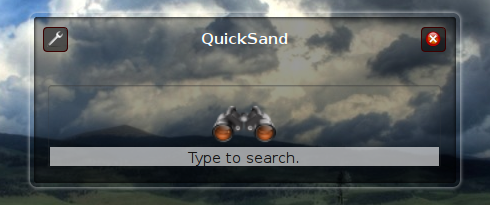
QuickSand is an alternative interface heavily inspired by the "Primer" interface of Quicksilver in Mac OS X.
QuickSand differs from the current KRunner interface in several ways. QuickSand has 3 different display modes: "Icon Parade", "Selected Item", and "Text" mode. The default display mode is "Icon Parade". Instead of displaying a line-edit, QuickSand presents the user with a matches pane asking the user to type something to be searched. Upon typing, the search string is displayed on the upper left corner of the matches pane. If matches are found, the number of matches is displayed on the upper right corner of the match pane. The icons are of the matches are lined up horizontally in the match pane and a pop-up completion box is shown to guide the user in selecting the appropriate match. The user can scroll through the available matches by pressing the up and down keys (when the pop-up box is shown) or the left and right keys.
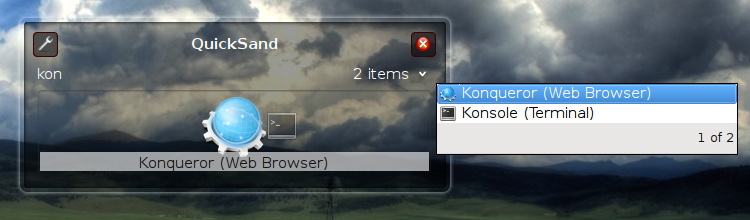
Hitting <enter> will select the match and display only the selected item. Clicking on the arrow on the upper right corner of the match pane will toggle between "Icon Parade" and "Selected Item" modes.
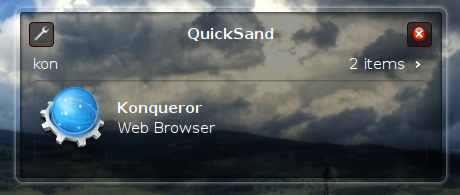
If the user would rather see a line edit, pressing the <.> (dot) key will change the display to "Text" mode. A line edit will replace the scrolling icons in the match pane.
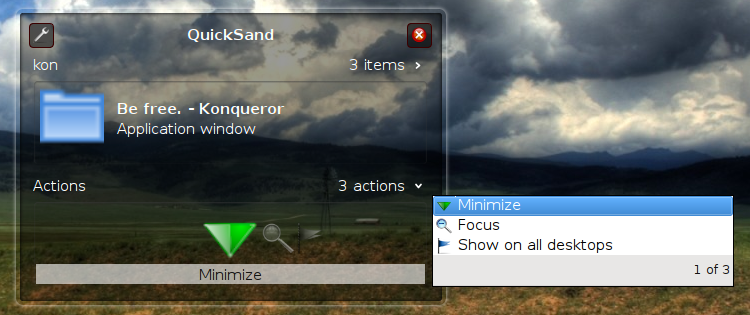
One of the primary reasons for writing QuickSand was to provide support for multiple actions. For example a match for an open application window can have several actions associated with it. The window can be minimized, set on all desktops, etc. QuickSand supports multiple actions in the same manner as matches for a search. If a particular match has several actions associated with it, an action pane appears below the match pane with the first action selected. Pressing <tab> will switch to the action pane and the user can select from the various available actions in the same manner as matches.
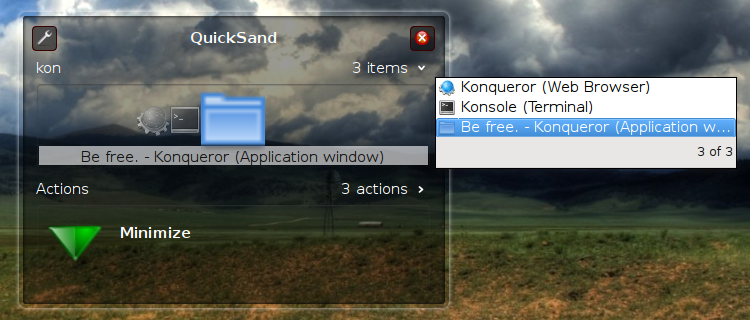
Hopefully, QuickSand will be provided as an option in KRunner allowing users to select between the default interface and QuickSand.
Another future development would be support for actions that require objects/targets. For example given a match for a file "screenshot.jpg" and an action of "e-mail to...", a possible object would be "danny@commit-digest.org". Support for objects would be as simple as placing an object pane below the action pane and displaying it whenever the currently selected action requires an object.
|
|
Gopala Krishna evaluates the progress made in the Summer of Code project for Umbrello:
|
Hi, my name is Gopala Krishna and I am currently pursuing Engineering in Information Science at Bangalore, India.
Umbrello is a KDE tool for UML drawing and it comes with the kdesdk module. Umbrello has been ported to KDE4 but still there are some rough edges here and there.
Google Summer of Code 2008 gave me an opportunity to contribute to KDE and I worked on the GraphicsView port of Umbrello and brought graphics bling into it. My mentor was the awesome Kubuntero, Jonathan Riddell.
I started with the literal Q3Canvas to GraphicsView transformation and intially succeeded removing the Q3Canvas dependency entirely. Of course, this broke almost all the drawing. Doing lots of string changes with the help of emacs, I could get the drawing back.
To continue, I had two choices for UML diagram widgets:
- Tweak the sources to restore all the broken stuff (mouse handling and others)
- Redesign them utilizing all the goodies provided by GrapicsView. (obviously more work but more futuristic)
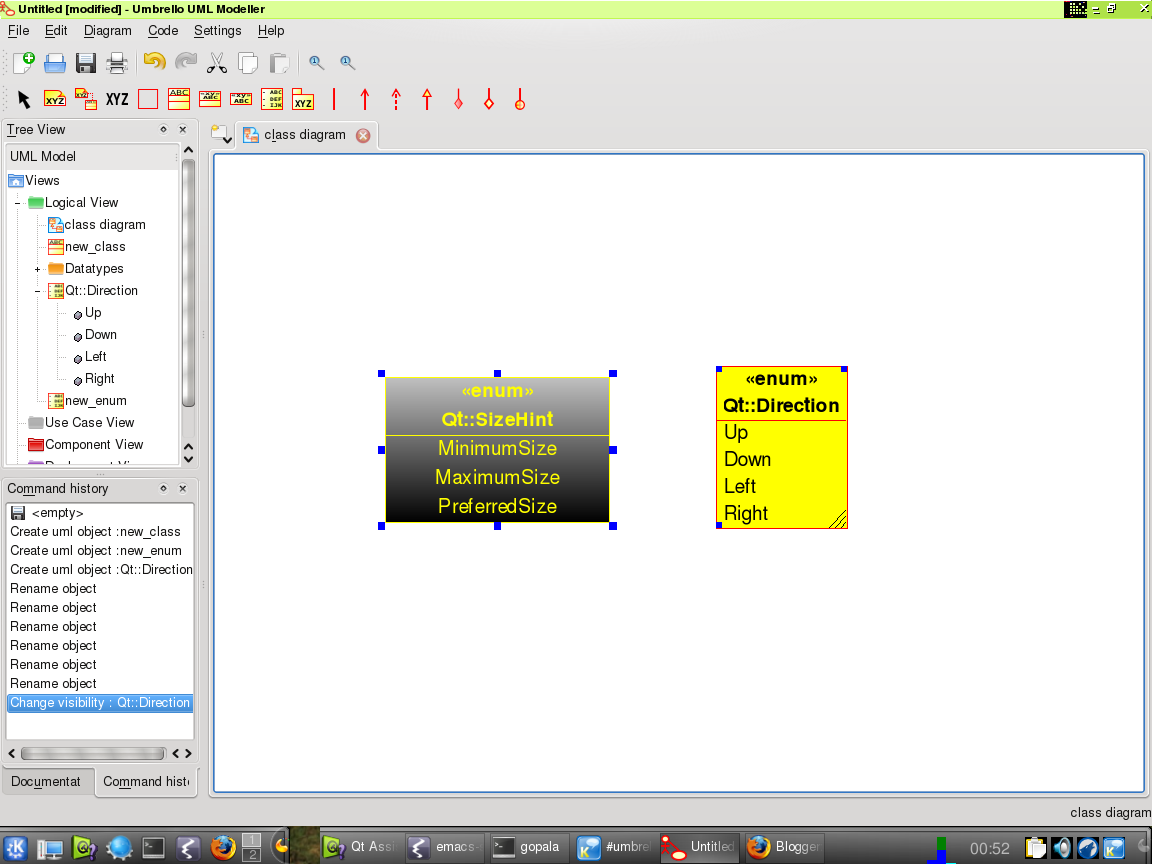
I chose the second option as I love challenges! The first step was to redesign the base classes separately in a new namespace so that I could port the UML widgets incrementally. This base classes supported additional functionality like minimum/maximum size support, gradient fills, and so on.
Next came widget resizing mechanism. The previous version allowed resizing only from the bottom-right corner. I wrote a new class called WidgetHandle - a QGraphicsItem which handles all the resizing (all 8 locations) for a UML widget and also changes mouse cursor appropriately on hovering along any of the 8 locations. Here is file snapshot ;)
While trying to port UML widgets, I observed that a lot of widgets needed to display text and hence every class had to do lots of font calculation for handling drawing and geometry.
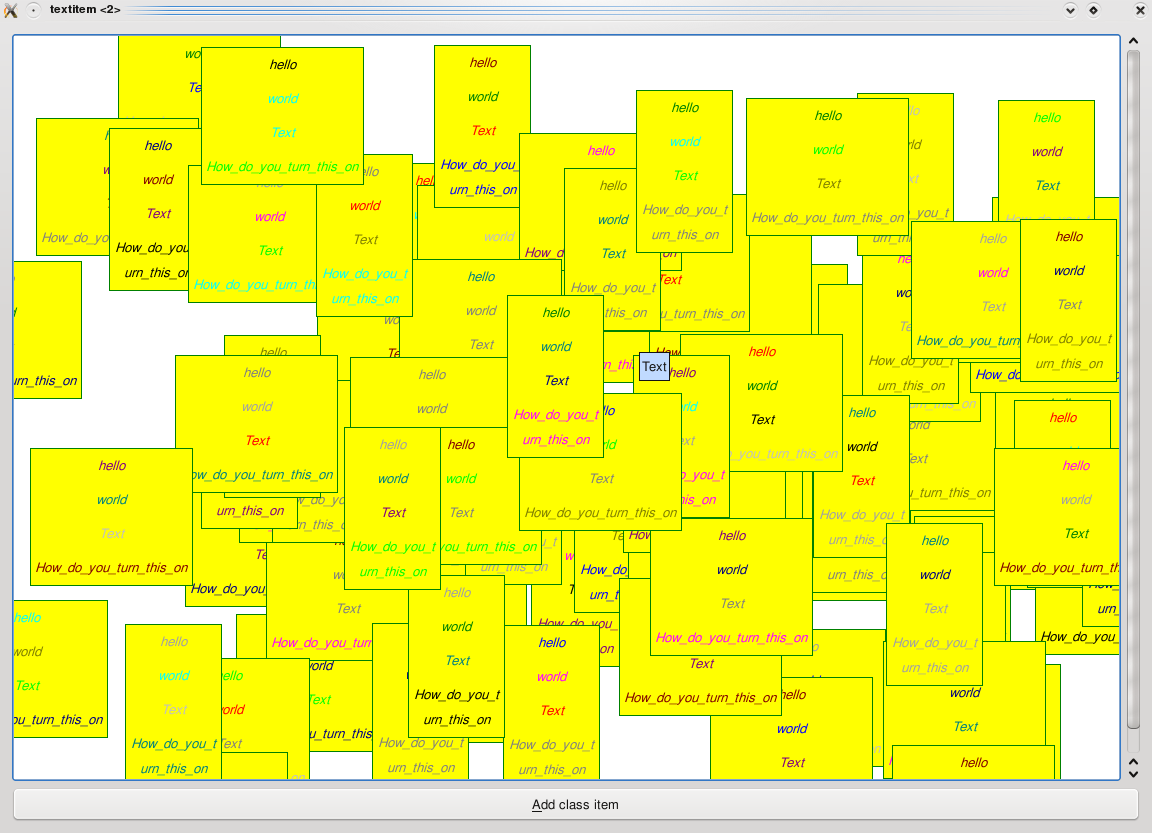
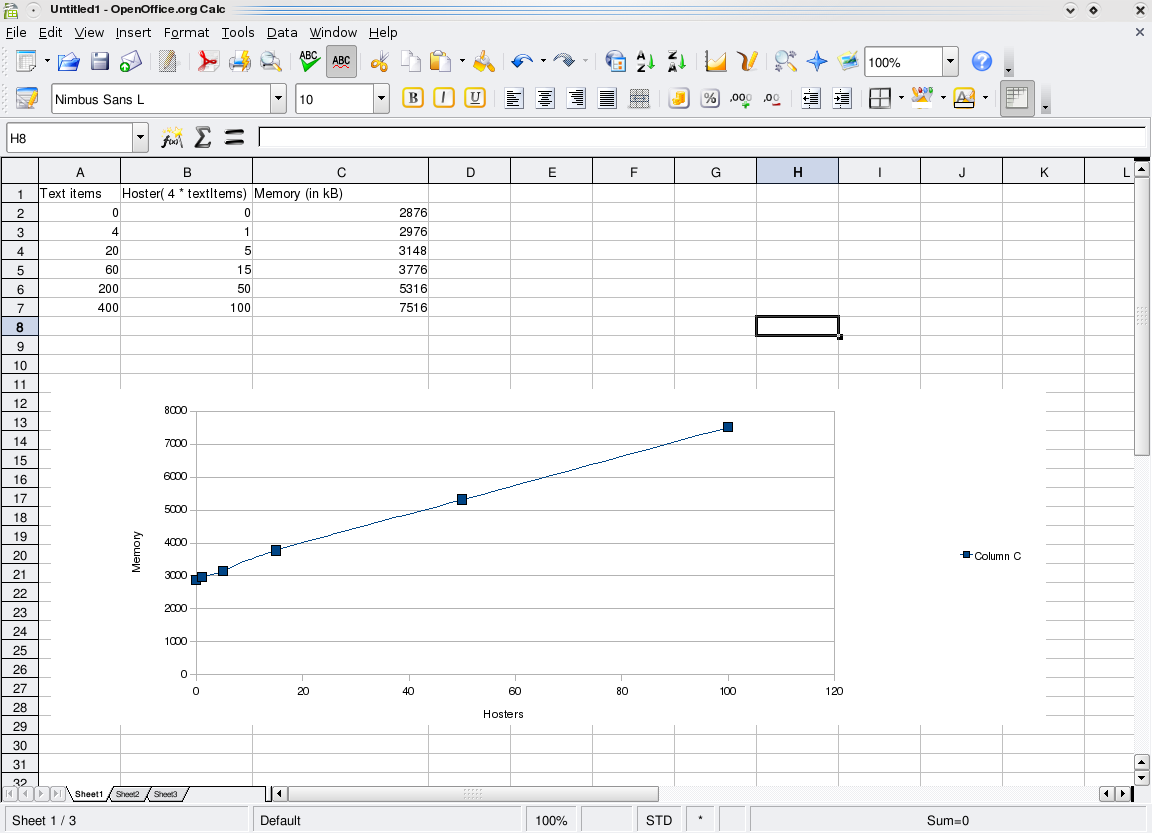
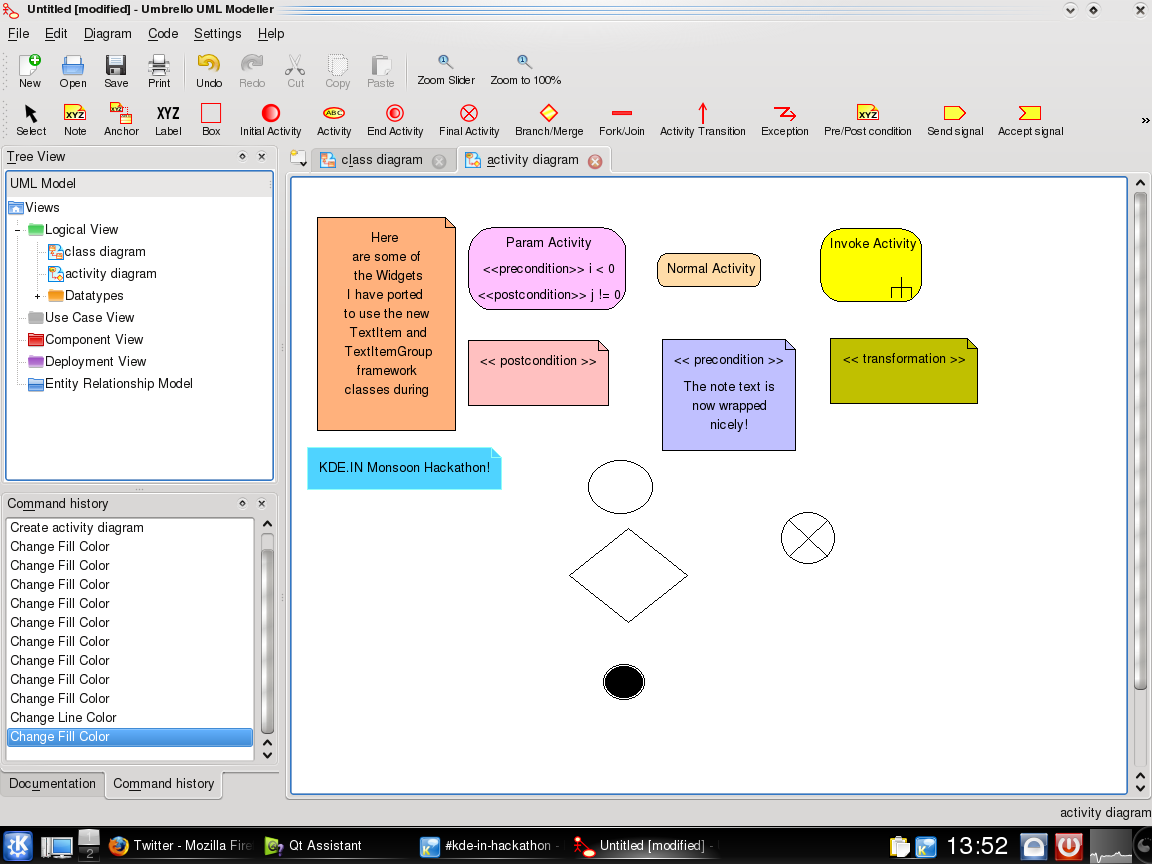
I came up with an idea to isolate all text handling stuff and I encapsulated them into TextItem and TextItemGroup classes. I evaluated the performance before this step, and you can find the results of evaluation here.
TextItems is one of the coolest parts of the project according to me, as this step led to the addition of support for rich text handling, hovering effects and tooltips, alignment, and also in-place editing of Widget's text quite easily. Isn't that cool?
Now almost all the UML widgets use TextItemGroups and TextItems to display their text which has freed them from the individual versions of font calculation code.
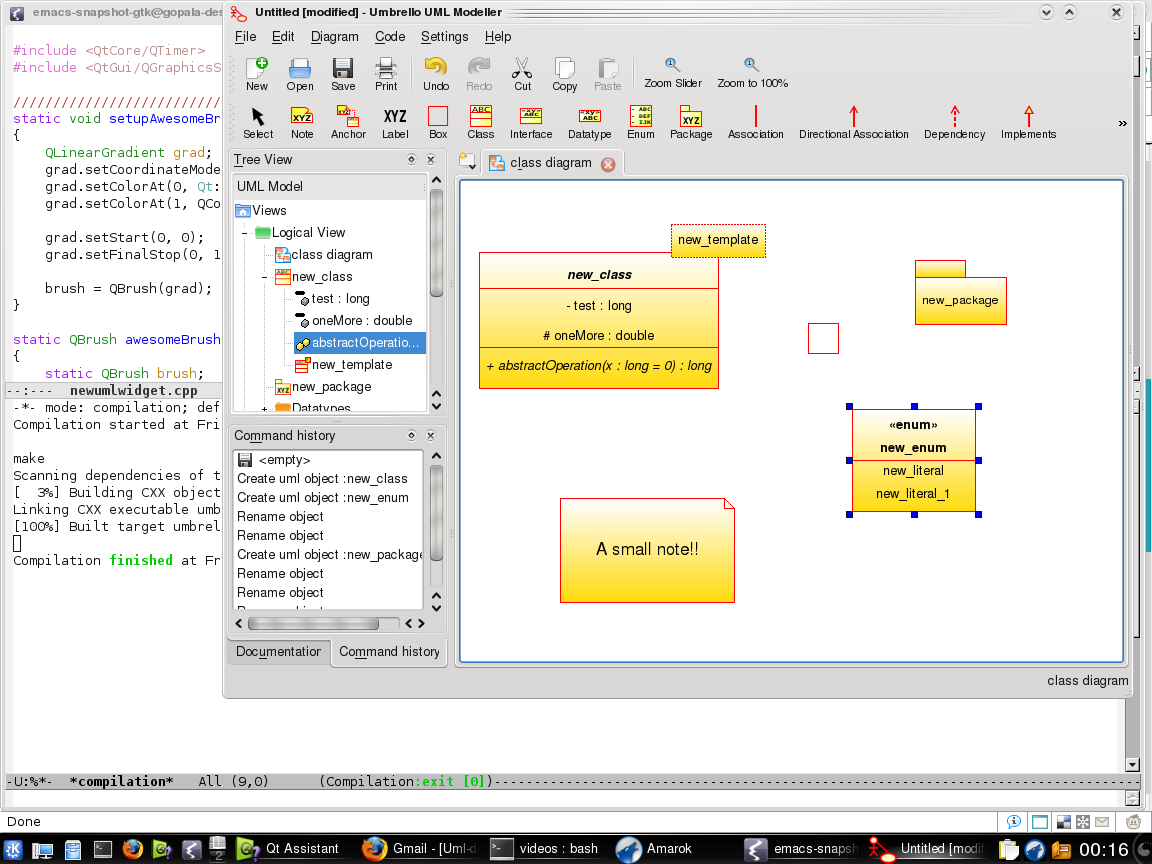
Here are screenshots of Umbrello showing some bling!
I am currently working on a new implementation of LinePath used to draw AssociationWidget lines. It sports new features, like highlighting the segment or point on the LinePath when the mouse hovers over it (for improved usability!):
My future plans involve integrating my work into trunk/ as soon as possible so that KDE 4.2 includes my work. I have plans to make the undo/redo handling more robust and implement cut/copy/paste based on XMI. And with the Umbrello community support, I think this is achievable :-)
The code is available at http://websvn.kde.org/branches/work/soc-umbrello/.
|
|
|
| Statistics |
|
| Contents |
|
|
Bug Fixes |
Features |
Optimise |
Security |
Other |
|
Accessibility |
|
|
|
|
|
|
Development Tools |
|
|
|
|
|
|
Educational |
|
|
|
|
|
|
Graphics |
|
|
|
|
|
|
KDE-Base |
|
|
|
|
|
|
KDE-PIM |
|
|
|
|
|
|
Office |
|
|
|
|
|
|
Konqueror |
|
|
|
|
|
|
Multimedia |
|
|
|
|
|
|
Networking Tools |
|
|
|
|
|
|
User Interface |
|
|
|
|
|
|
Utilities |
|
|
|
|
|
|
Games |
|
|
|
|
|
|
Other |
|
|
|
|
|
|
There are 143 selections this week.
|
|
Bug Fixes |
|
KDE-Base |
|
Germain Garand committed changes in /trunk/KDE/kdelibs/khtml:
|
* avoid NVidia+Qt4 buffer clearing problems, by making our widgets have a private buffer. * for the same reason, always fully clear our shared opacity buffers - or we might get artifacts on NVidia cards such as on www.codetch.com/screenshots/ |
|
|
|
|
|
|
|
|
David Faure committed changes in /trunk/KDE/kdelibs/kio:
|
Finally fixing bug 43356: "deleting files in directories with more than 3000 files gets painfully slow" (from 2002, with 260 votes)
With model/view we can finally update the view in a better way: by chunks instead of item-after-item. This required adding a itemsDeleted signal to KDirLister, and some figure-out-consecutive-removals logic in KDirModel using QBitArray (for beginInsertRows).
Results: Deleting 5000 files with konqueror-4.1: 8 minutes (30 seconds stat'ing, 5 seconds deleting, and then 7'25" until the view refreshes).
Deleting 5000 files with konqueror-trunk: 15 seconds (2 seconds stat+deleting, 13 seconds until the view refreshes). |
|
|
|
|
|
|
|
|
|